 Next Eye
Version 2.0.0,
The keyboard update
HDR desktop capture, a keyboard that lights up, a dial that opens when you point at it, and two input fixes that were overdue.
The keyboard
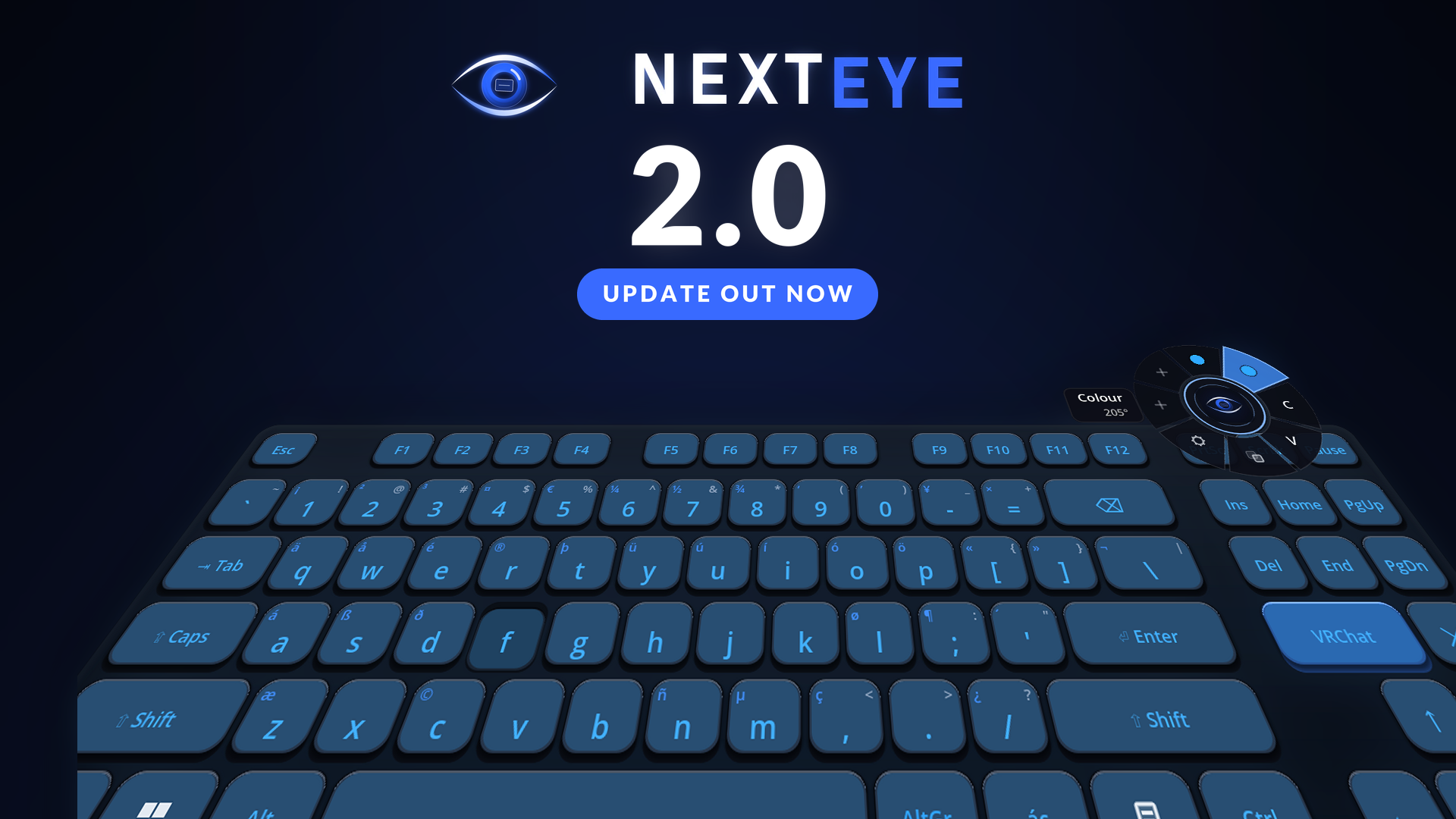
- Keys that stand up. A body, a face sunk into it, and a press that pushes the face down into the body. The light comes up through the character itself the way a backlit cap does, not as a glow around the key.
- Six lighting modes: off, static, breathe, scroll, rainbow, and a reactive mode that spreads a ring of light out from the key you hit. Each one has its own speed and brightness.
- A chromatic wheel for the colour. Drag inside the disc for hue and saturation. The presets are gone; a keyboard light means nothing except what you feel like looking at, and twelve choices for that is a fence around a field.
- A dial above the keys. The eye sits in a dome the board curves around. Point at it and a ring of eight slots opens around it; let go on one, or just press it. Six of them do something: lighting, colour, copy, paste, screens and settings. The other two are marked empty, because making them yours to fill is what comes next.
- Four layouts: QWERTY, ABNT2, QWERTZ, AZERTY. Characters are typed as Unicode, so the key marked Z types a Z whatever Windows is set to; what changes is where your hand expects to find it.
Capture
- HDR monitors are captured properly now. An HDR desktop hands over floating point pixels where 1.0 is 80 nits, and sending those straight to the headset is what made an HDR screen look washed out. They are tone mapped into the range the headset actually shows, with a paper-white control that only appears when there is HDR to control.
- Screens curve by how much of your view they take, not by how far away they are. A wide screen pulled in close curves; the same screen pushed across the room stays flat, because at that size a curve is just distortion.
Input
- Each hand answers for itself. Outranking the game on the bound inputs was all or nothing, so a right hand on the keyboard cost the left hand its buttons too, and in VRChat the left hand is the one that mutes. Reaching for mute while the other hand types is nobody’s business but the game’s now.
- No more walking by itself. Pointing at a screen with the stick pushed used to leave an avatar walking: taking the stick away does not tell a game it came back to the middle, so the game kept acting on the last thing it was told, which was “forward”. The stick now only changes hands while it is sitting still, in either direction, so leaving a screen mid-scroll cannot make you lurch off either.
- A hand is only claimed where there is something to press. The laser crossing a bezel is not a reason to take a trigger away from a game.
Also
- Run as administrator from inside VR, for clicks that land on elevated windows, like Task Manager and anything launched as admin. Windows drops clicks from a program with fewer privileges than the window, and the fix used to mean taking the headset off.
- Hiding the screens takes the keyboard and the settings with them. The button is for clearing the space in front of you.
- Eye tracking is gone, all of it. Screen priority follows where your head is pointed, which is what it was really doing for most people anyway. Next Eye does not use eye tracking and does not ask any headset for it.
- Body gestures start disarmed, so nothing fires until you turn it on.
- The VRChat chatbox respects the game’s own rate limit of five messages in five seconds, instead of being dropped for flooding.
- Settings with more than a couple of choices open a list instead of cycling on each click.
If you have an HDR monitor, tell me how it looks. It is the one path I cannot test here, and the colour of your desktop in VR is worth getting right.